Settings overview
Last updated: July 2026
You open Settings via „Settings" in the footer. They are organized into tabs — here is a compact overview of where things live.
The tabs
- „General". About Døgn and version, updates, launch at login, keyboard shortcut, reminders, and billing defaults.
- „Clients & Projects". Clients, projects, hourly rates and rounding — see Clients & projects.
- „Webhooks". Send time-entry events to external systems — see Webhooks.
- „MCP". The local suite server for AI tools — see MCP & AI tools.
- „AI Tools". Automatic tracking for AI coding sessions — see MCP & AI tools.
- „Data". Backup, archived items and license — see Backup & data.
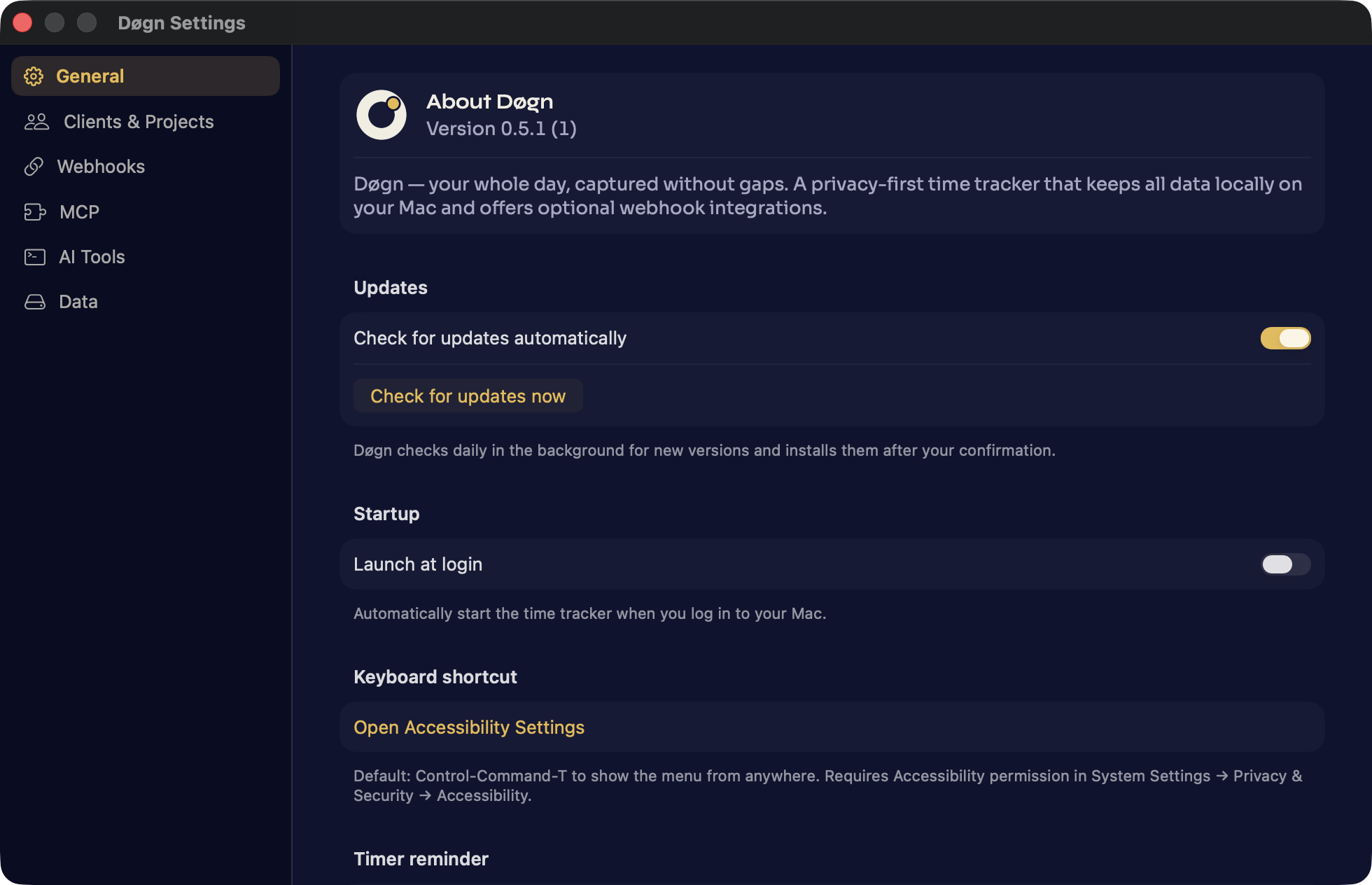
General: version, updates and startup
In the „General" tab, „About Døgn" shows the installed version. „Check for updates automatically" keeps Døgn current; „Check for updates now" checks right away. „Launch at login" makes Døgn run automatically after you sign in — sensible for an app meant to capture your whole day.
Shortcut and reminders
Under „Keyboard shortcut", the system-wide ⌃⌘T (Control-Command-T) that shows the popover from anywhere is described. Below it you enable reminders: a warning once a timer has run for a while, a prompt when you go idle, and a reminder if you work without a running timer. „Default currency" and „Default rounding increment" set the defaults for new clients and projects.